
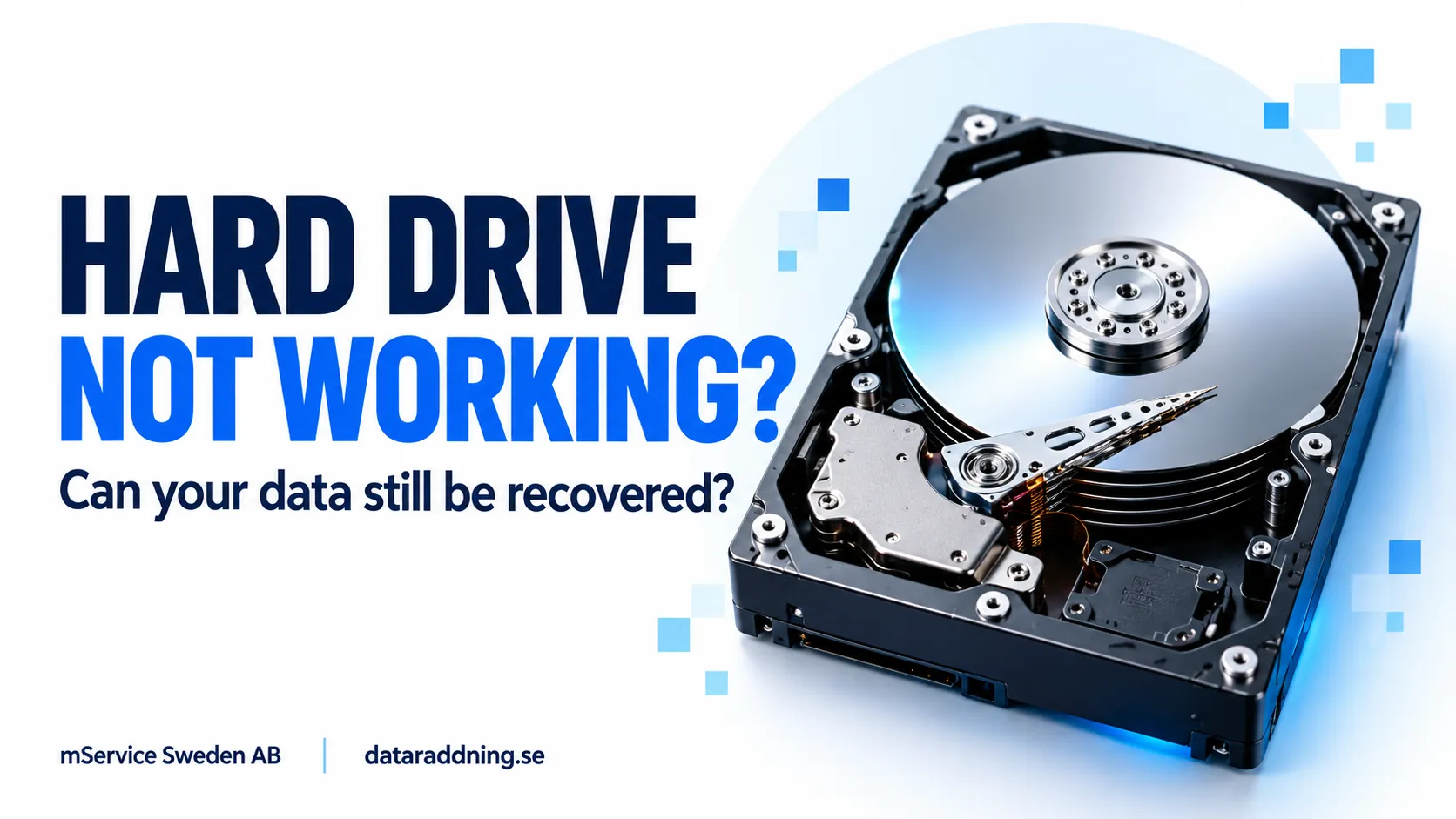
Your hard drive has gone silent. It does not appear on your computer, your files are inaccessible, and reconnecting it changes nothing. Does that mean everything is gone?
Not necessarily. A hard drive that no longer works may still contain recoverable data. The problem could involve its power supply, electronics, or internal mechanical components. However, recovery chances depend on the actual damage, not just whether the drive switches on.
If the files matter, avoid repeatedly restarting the drive. Understanding the symptoms and choosing the right next step can help preserve your recovery options.
Can You Still Recover Data from a Dead Hard Drive?
A dead hard drive is an informal description, rather than a technical diagnosis. It usually means an HDD no longer responds, spins, or lets you access its files.
The important distinction is between a drive that cannot operate and data that has been physically destroyed. These are different situations. Seagate explains that storage failure doesn’t always mean complete data loss, and recovery methods depend on whether the problem is logical, electrical, or mechanical.
For example, a drive with an electrical fault may not start even though its recording surfaces remain intact. A drive with extensive platter damage presents a different challenge.
Dead hard drive data recovery therefore begins with an assessment. Silence alone cannot tell you whether recovery will be straightforward, complex, or unsuccessful.
Hard Drive Not Spinning? Possible Causes of a Completely Unresponsive HDD
If you notice your hard drive not spinning, the cause may be outside the drive or inside it. These possibilities require different responses.
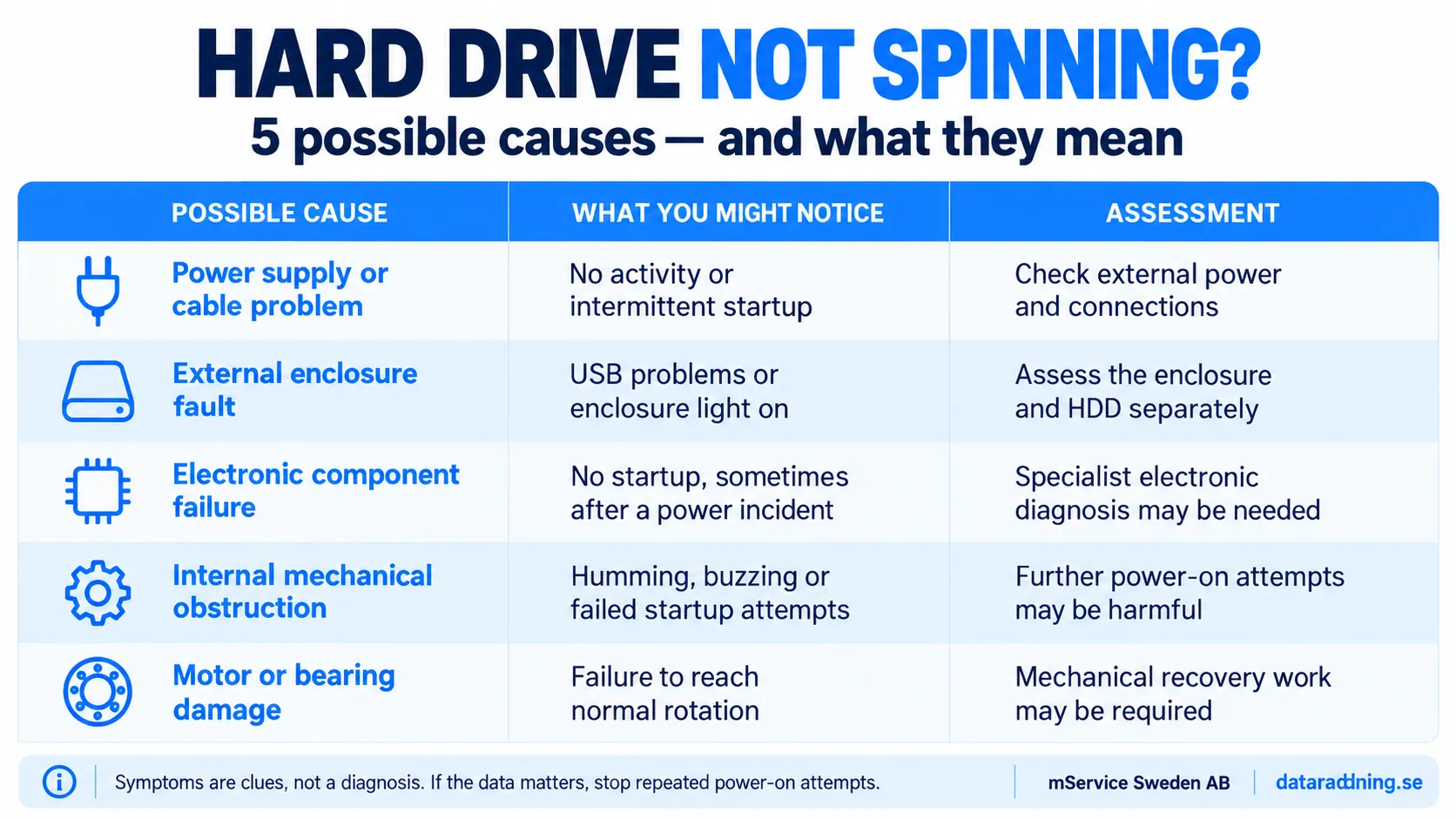
These symptoms are clues, not proof. For instance, a buzzing sound doesn’t identify a specific failed component.
Also, an illuminated LED only confirms that part of the device is receiving power. It doesn’t prove the HDD inside is working.
Is Your Hard Drive Dead or Simply Not Detected?
A hard drive missing from File Explorer or Finder is not automatically dead. The computer may recognize the physical device while being unable to display its files.
On Windows, the disk might appear in Disk Management without an accessible volume. On macOS, it might appear in Disk Utility but fail to mount. On Windows, a missing drive letter is another possible explanation. Microsoft distinguishes these visibility and volume problems from physical disk failure in its troubleshooting guidance.
The useful questions are:
- Drive visibility in system utilities
- Correct model and storage capacity
- Normal or unusual operating sounds
- Recent drops, liquid exposure or power incidents
- Previous repair or recovery attempts
Checking whether a device is listed is different from changing it. If a previously used drive contains important files, do not accept an unexpected request to initialize, erase, or format it.
If a drive spins normally but doesn’t appear on your computer, the diagnosis may follow a different path than with a completely unresponsive HDD.
What Should You Do First When Your Hard Drive Stops Working?
Start with the value of the files and the symptoms of failure. A replaceable drive with a current backup gives you more flexibility than having only one copy of family photos or business records.
If you hear no unusual noises, see no signs of impact, smell no burning, and there’s no liquid exposure, a quick check of the external cable and connection may rule out a simple problem. Seagate lists loose cables as a basic cause to consider.
For an externally powered HDD, use only the correct, manufacturer-approved power adapter. A matching plug does not necessarily mean a compatible power supply.
If the drive clicks repeatedly, grinds, smells burnt, or stopped working after a fall, disconnect it and arrange an assessment. Seagate specifically advises immediately powering down a grinding drive because further damage can make recovery harder or impossible.
Before contacting a specialist, record the model, capacity, symptoms, and events immediately before failure. Include any previous software scans or repair attempts.
What Can Make Dead Hard Drive Data Recovery More Difficult?
An unsuccessful repair attempt can leave a specialist with more damage than the original fault.
Avoid the following when important files remain on the drive:
- Repeated startup attempts
- Formatting or partition changes
- Unnecessary writes to the disk
- Opening the sealed HDD cover
- Unsupervised physical repairs
Seagate warns against formatting, modifying partitions, and opening a hard drive outside a suitably clean environment when recovery is needed.
Internet fixes involving freezing, striking, or shaking a drive are not a reliable recovery plan. Likewise, don’t treat a replacement circuit board as a universal plug-and-play solution.
The objective is to preserve access to the existing data. Just because the device powers on doesn’t mean it can safely read your files.
Can Recovery Software Help If a Hard Drive Will Not Spin?
Recovery software cannot repair a failed motor or restore electrical power to an HDD. It needs a working read path to access data on the device.
Software may help when the hardware remains readable, and the problem involves deleted files, damaged file-system structures, or inaccessible partitions. A physically unresponsive drive requires a different approach.
A useful distinction is:
| Drive condition | Appropriate starting point |
|---|---|
| Stable, readable hardware with missing files | Assessment of logical recovery options |
| Spinning drive with repeated disconnections or read failures | Hardware assessment before extensive scanning |
| No rotation or response | Power, electronic and mechanical diagnosis |
| Clicking, grinding or impact damage | Specialist assessment with the drive powered off |
Installing several recovery applications does not improve failing hardware. Before starting a lengthy scan, establish whether the drive is stable enough to read.
How Do Specialists Diagnose and Recover a Dead Hard Drive?
Professional recovery should follow the fault identified during diagnosis. Not every dead drive needs the same equipment or intervention.
Initial assessment
The specialist reviews the failure history and examines the device. Depending on the symptoms, this can involve checking power, electronics, device identification, and signs of mechanical damage.
Work needed to regain access
Some cases require electronic work; others involve firmware access or mechanical intervention. The goal is to establish a stable read path.
When the fault lies in the drive’s electronics, firmware, or read/write heads, our hard drive repair service focuses on restoring stable access long enough to copy your files safely, rather than simply getting the drive to spin again.
Recovery work should not be confused with restoring a failed HDD to dependable everyday service.
Controlled data acquisition
Where possible, the specialist reads the accessible sectors into another storage device or an image. Working from this copy reduces the need to repeatedly access the original drive.
File reconstruction and checking
The specialist examines the acquired data to locate partitions, reconstruct file structures, and extract files. Results may include intact files, incomplete files, and unrecoverable areas.
Ask how the provider checks recovered data and whether they can evaluate your priority files. A visible filename doesn’t necessarily mean the entire file is undamaged.
When Is Cleanroom Work Necessary for Hard Drive Recovery?
Cleanroom facilities are relevant when recovery requires opening the HDD’s sealed enclosure and working with its internal components.
They are not automatically necessary for every cable, power, or file-system problem. The need depends on the diagnosis.
A controlled environment helps protect exposed recording surfaces from contamination. Seagate’s recovery guidance explains that hard drives are sensitive to contamination and should only be opened in a suitably clean environment.
Cleanroom access is an important capability, but it doesn’t guarantee success. The condition of the recording surfaces and the extent of existing damage still matter.
What Determines Recovery Chances, Costs and Turnaround Time?
A meaningful estimate requires more information than the drive’s capacity or brand.
Important factors include:
- Type and extent of failure
- Condition of the recording surfaces
- Availability of compatible donor components
- Stability and speed of data reading
- Encryption and access credentials
- Previous repair attempts
- Required service urgency
Two drives of the same model can require very different amounts of work. One may have a limited electrical fault; the other may have mechanical damage that prevents stable reading.
Before authorizing recovery, request a written explanation of the proposed work, estimated cost, and likely limitations. Clarify any diagnostic charges, donor-part costs, and conditions that apply if recovery is unsuccessful.
Be cautious about guaranteed recovery percentages offered before examination. A useful assessment explains what is known, what remains uncertain, and what the next stage can establish.
Dead Hard Drive Data Recovery in Sweden: Assessment by mService
For customers in Sweden, mService Sweden AB offers hard drive data recovery through dataraddning.se. The company states that it has more than 25 years of experience and uses specialist equipment, including PC-3000 and Class 100 cleanroom facilities. Its published process includes a free diagnosis, a report, and a cost estimate.
If your hard drive isn’t spinning or has become completely unresponsive, start by describing the symptoms. Include the model, capacity, any unusual sounds, and whether the failure followed a fall or power incident.
For sensitive business or personal files, also ask about data handling, access controls, return arrangements, and retention after recovery.
Contact mService for a free initial diagnosis before attempting further repairs. An assessment can establish the likely fault and available recovery options without assuming that every dead drive has the same outcome.
Frequently Asked Questions About Dead and Non-Spinning Hard Drives
Can a completely dead hard drive still contain my files?
Yes. A drive can stop operating without destroying all its stored data. Recoverability depends on the fault and the condition of the recording surfaces.
Does a hard drive not spinning mean the motor has failed?
No. Power delivery, electronic faults, and internal mechanical problems can also prevent startup. The symptom alone cannot confirm motor failure.
Should I keep reconnecting the drive until it starts?
Repeated attempts are a poor choice when the drive shows signs of physical failure. Disconnect it if you hear unusual noises, see impact damage, or smell burning.
Can I recover data if the drive is not detected in BIOS?
Professional recovery may still be possible. Failure to appear in BIOS does not, by itself, prove that the stored data has been destroyed.
Will replacing the USB cable recover my data?
A replacement cable may restore access if the cable is the only fault. It won’t fix internal mechanical or electronic damage.
Is recovery always possible?
No. Some damage prevents recovery, and some cases produce only partial results. A responsible provider should explain those limitations rather than promise recovery before diagnosing.